Rihab — a Palestinian marketplace, engineered end to end.
Rihab connects customers with Palestinian shops and vendors. Behind the storefront is a full operating system for a marketplace: merchant workspaces, commercial agreements, delivery configuration, order orchestration and a Facebook product importer.
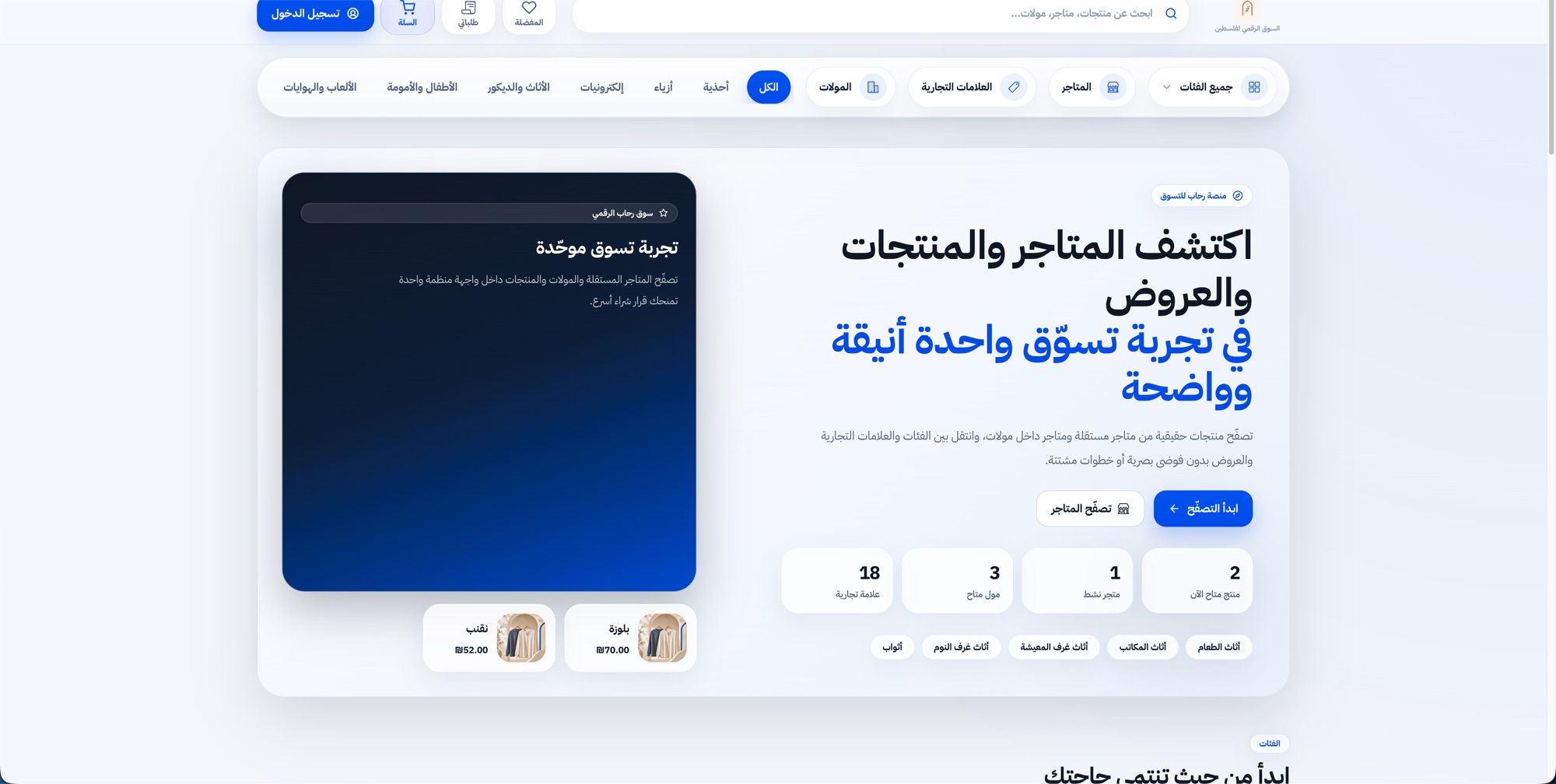
01Context
Context
Many Palestinian shops already publish their products on social media, but not as a structured catalog customers can search, compare and order from.
Problem
A marketplace is not a storefront. Every order crosses a merchant, a commercial agreement, a delivery carrier and a payment state — and each of those needs its own operating tools.
Constraints
Independent shops and shops inside malls; commission and subscription commercial models; carriers with their own location identifiers; agreements that change version over time.
02Engineering decisions
- D-01
Merchants are operators, not listings
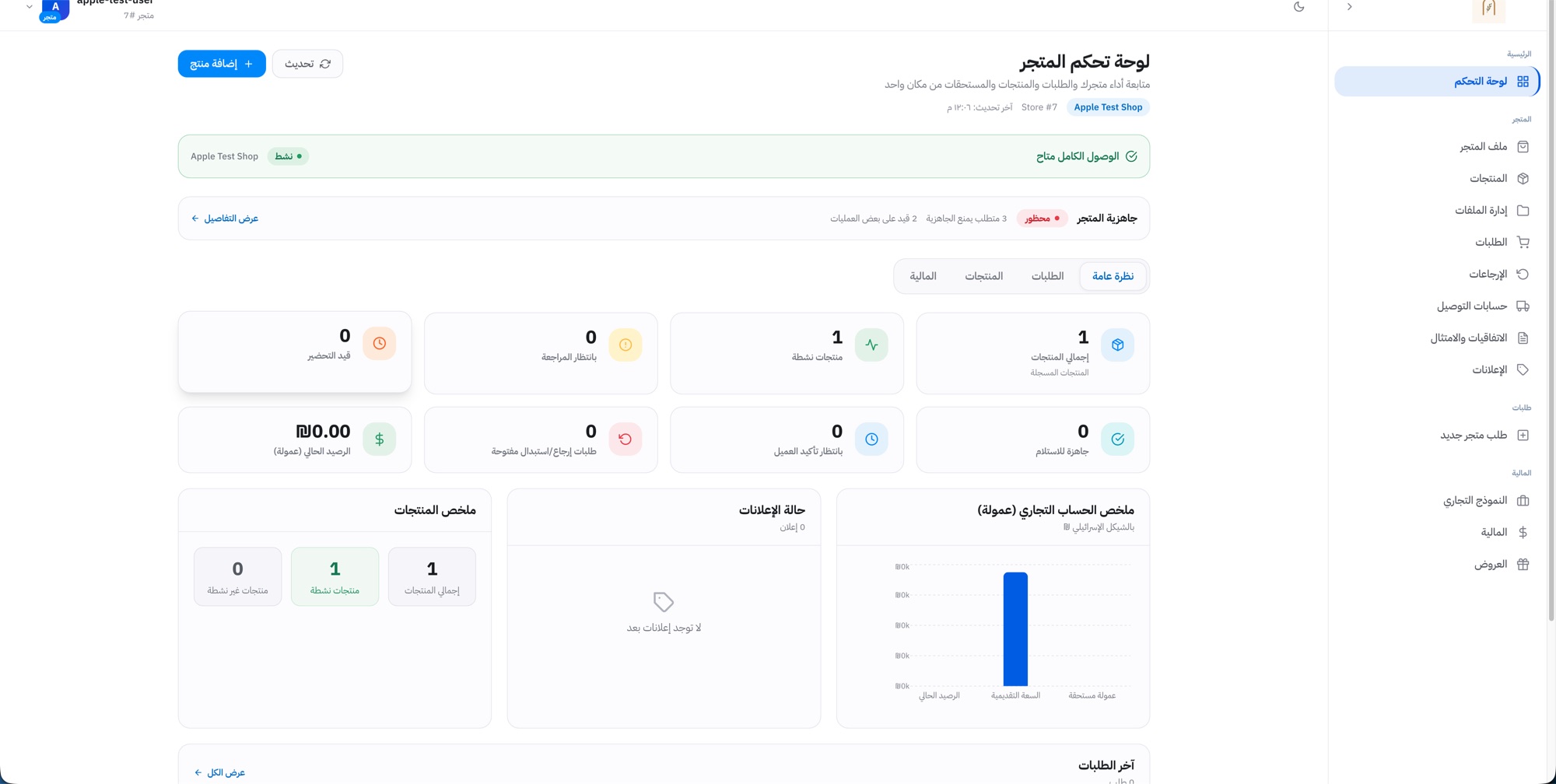
Each shop gets its own workspace — products, orders, returns, delivery accounts, finance and offers — with a readiness check that blocks selling until required steps are complete.
- D-02
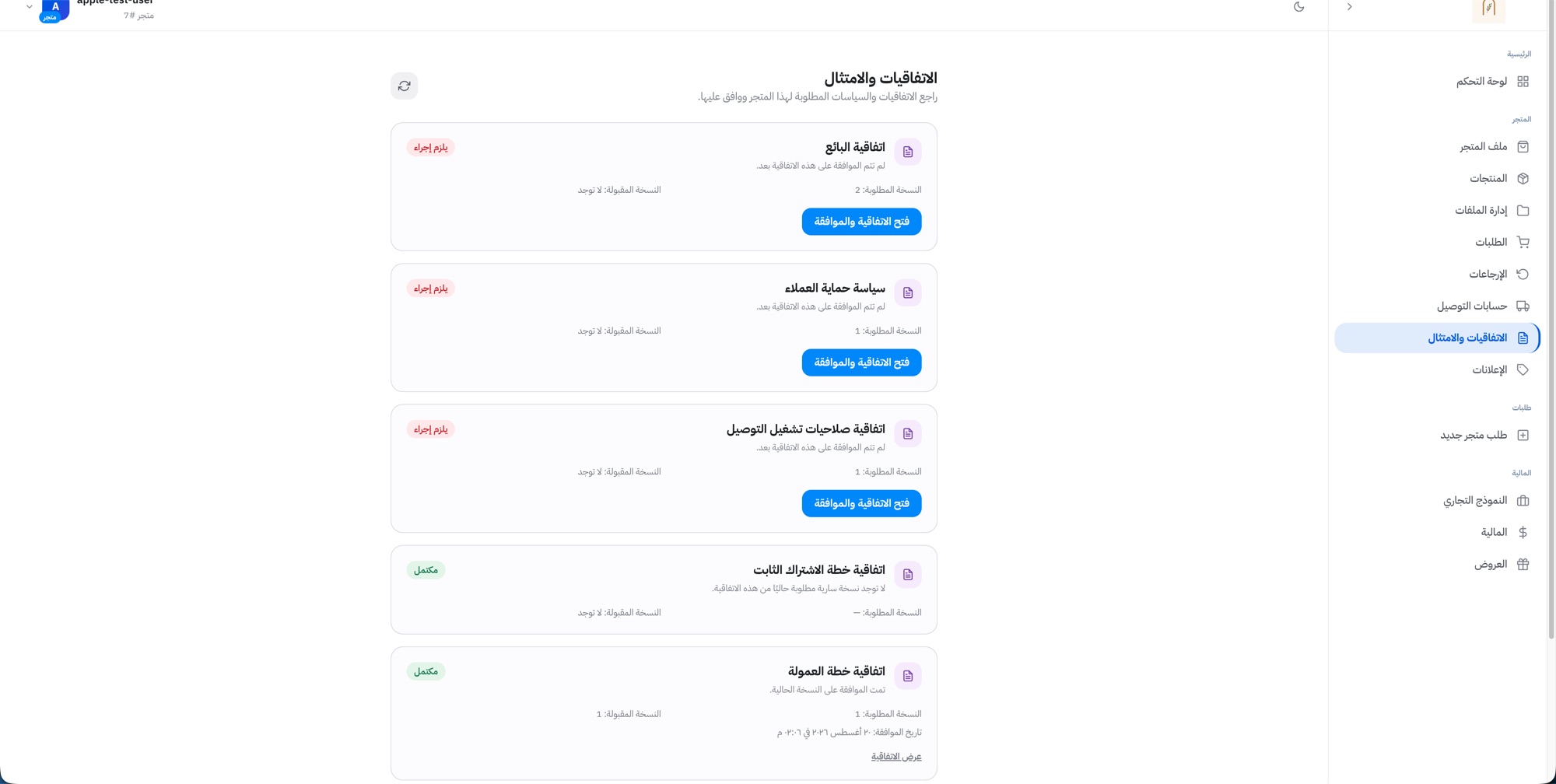
Agreements are versioned data
Seller, customer-protection, delivery and commercial-model agreements carry a required version and an accepted version, so a policy change is visible and enforceable rather than silent.
- D-03
Carrier-neutral logistics
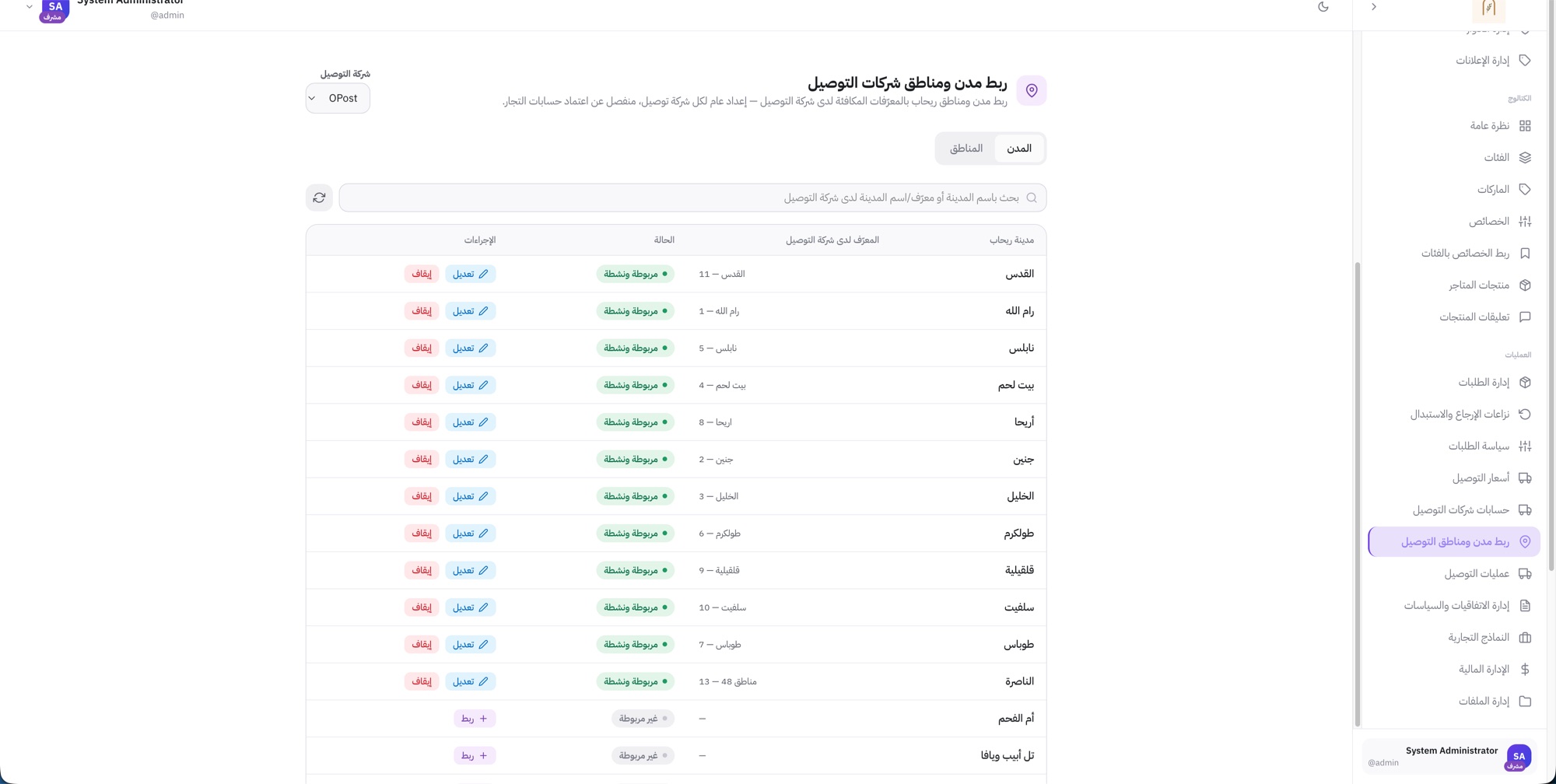
Rihab keeps its own cities and areas, and maps them to each carrier’s identifiers. Delivery rates are defined per city route, with area-level exceptions.
- D-04
Automation proposes, people approve
The Facebook importer produces structured product candidates. Nothing reaches the catalog until the merchant reviews it.
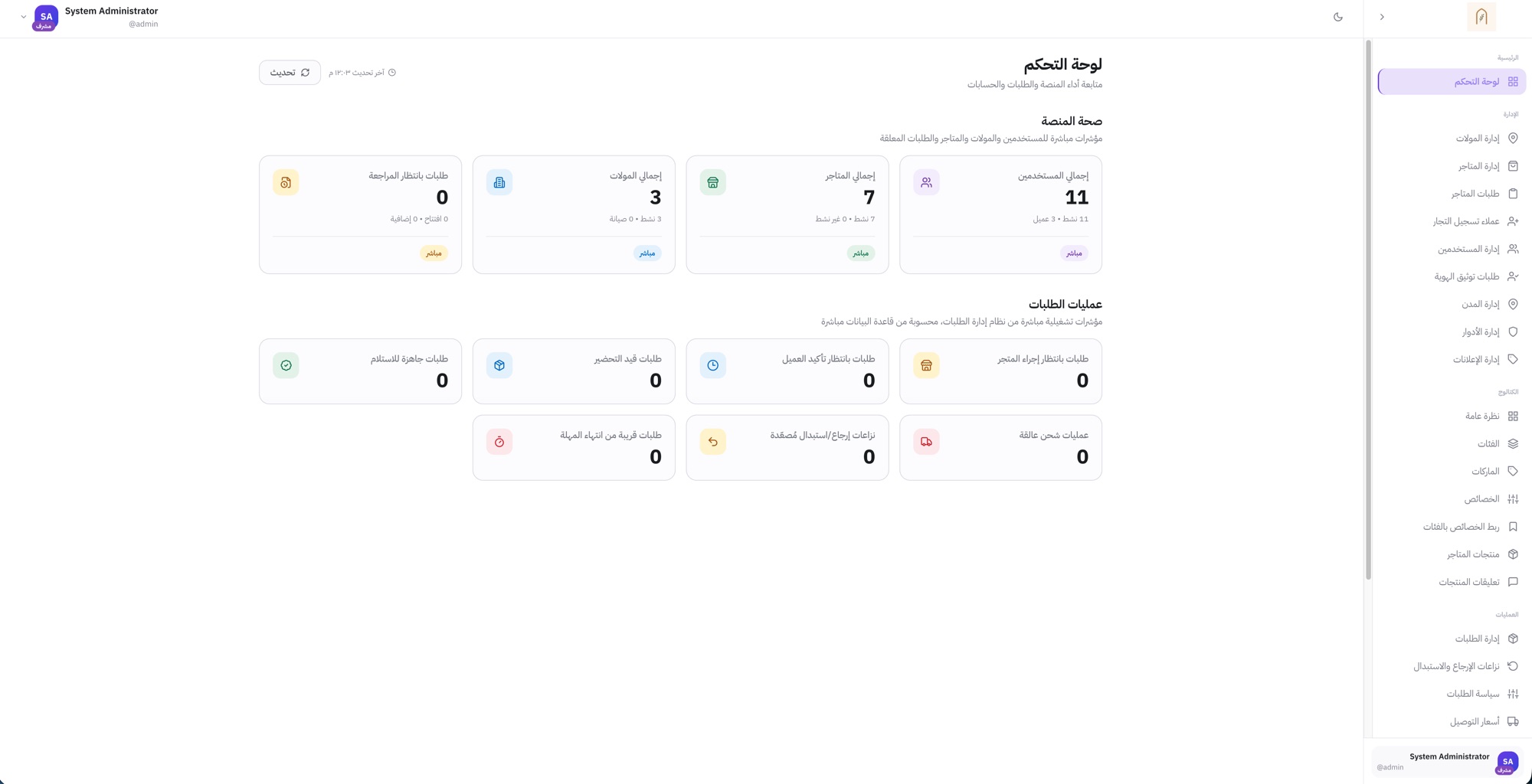
03Platform administration
One admin surface for malls, shops, catalog structure and operations.
admin · catalog · operations
04Architecture
Order to fulfillment.
An order is split across merchants, priced against the commercial model, routed to a carrier and tracked to delivery or return. The diagram is shown complete — never cropped to fit a card.
Customer
Browse · checkout · confirm
Rihab core
Validate · create order · orchestrate
Carrier / logistics
Create shipment · track · deliver
OPost · Shiply
Vendor / merchant
Review · prepare · ready
Commercial model & financial lifecycle
From plan selection and agreement to commission and ongoing financial operations. Each shop chooses commission or a fixed subscription; orders then create financial events automatically.
Merchant
Chooses how to sell on Rihab
Commercial options
Agreement review
- Plan details
- Fees & policies
- Terms of service
Commercial enrollment
- Verify eligibility
- Create commission account
- Activate enrollment
Active account
Ready to receive orders
05Merchant operations
A workspace that tells a shop what blocks it from selling.
The shop dashboard shows readiness before revenue: which requirements block selling, which agreements need action, and what is waiting on the shop.
06Logistics
Rihab’s map, translated for every carrier.
Carriers each have their own city and area identifiers. Rihab keeps one canonical location model and a mapping per carrier, so adding a carrier is configuration — not a data migration.
07Automation
From a Facebook post to an approved catalog product.
Merchants already describe their products on Facebook. The importer turns that content into structured product candidates — and stops at the merchant, who decides what is published.
Merchant connects Facebook
Authorizes the page; public posts are fetched
Rihab importer
Process, understand and extract product information
- Ingest posts
- AI-assisted understanding
- Process media
- Product candidates
Merchant review
Check, edit and approve — the human decision gate
Rihab catalog
Approved products published to the store
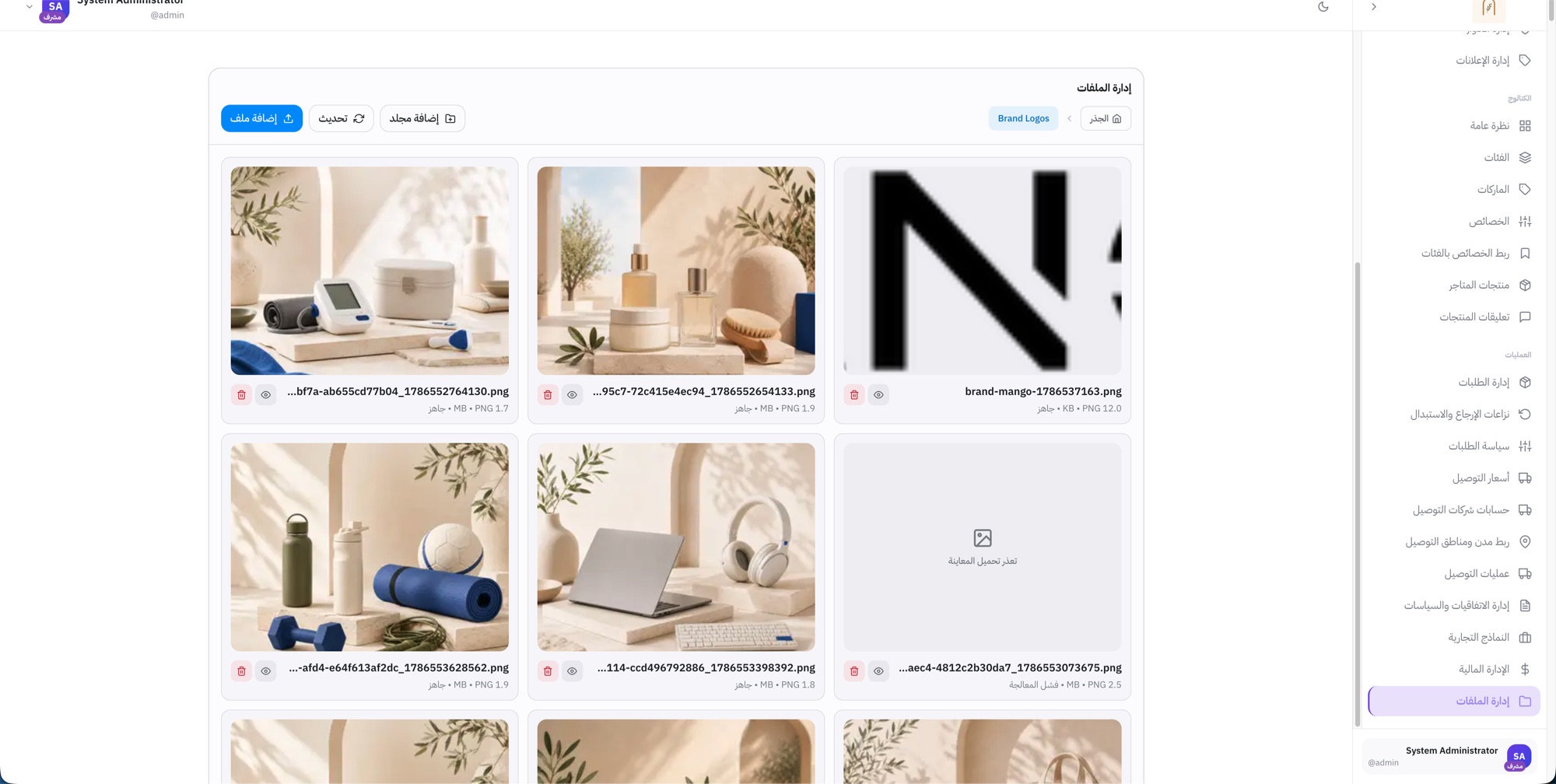
Failure is a visible state
A media file that fails processing says so, instead of silently disappearing from the catalog.